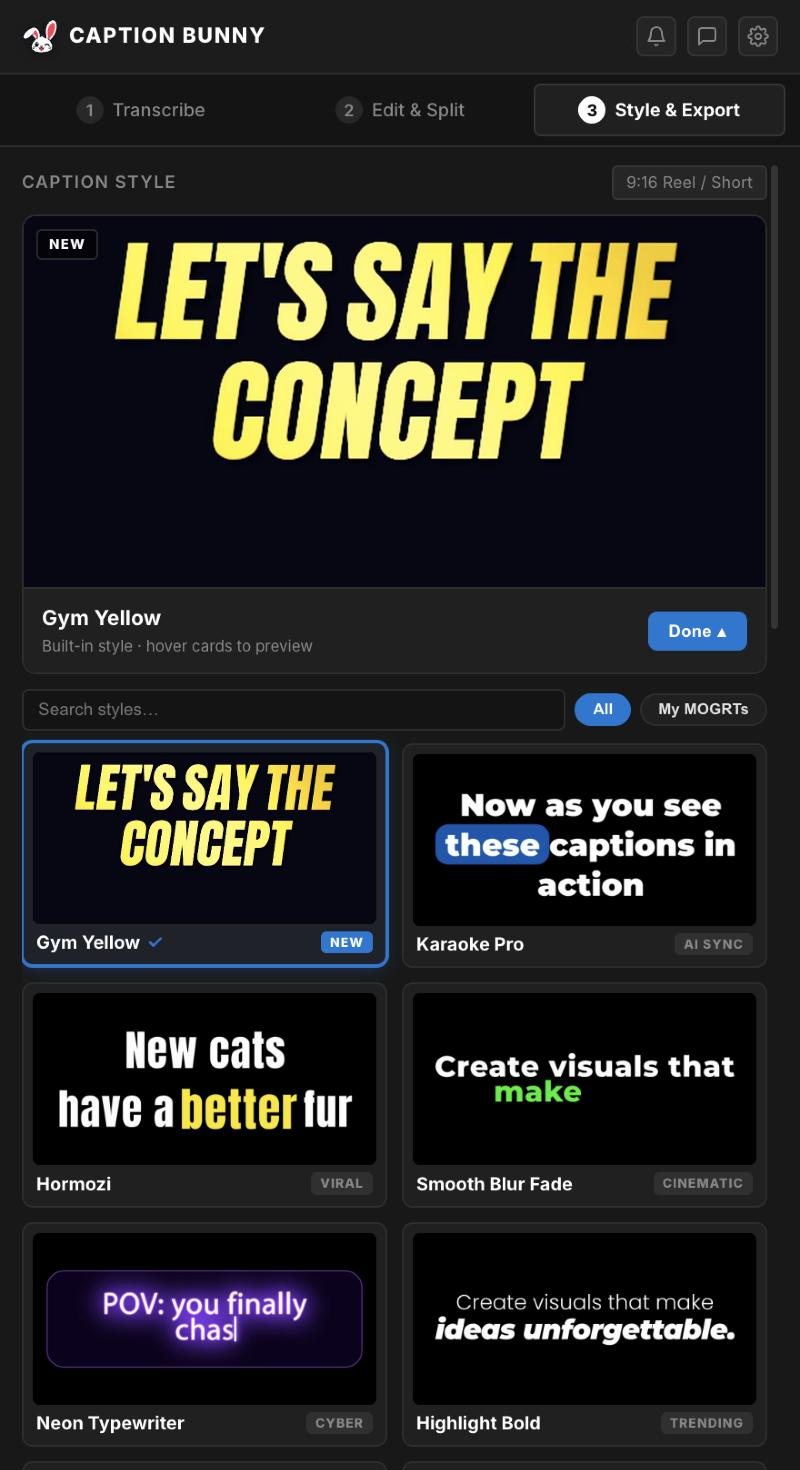
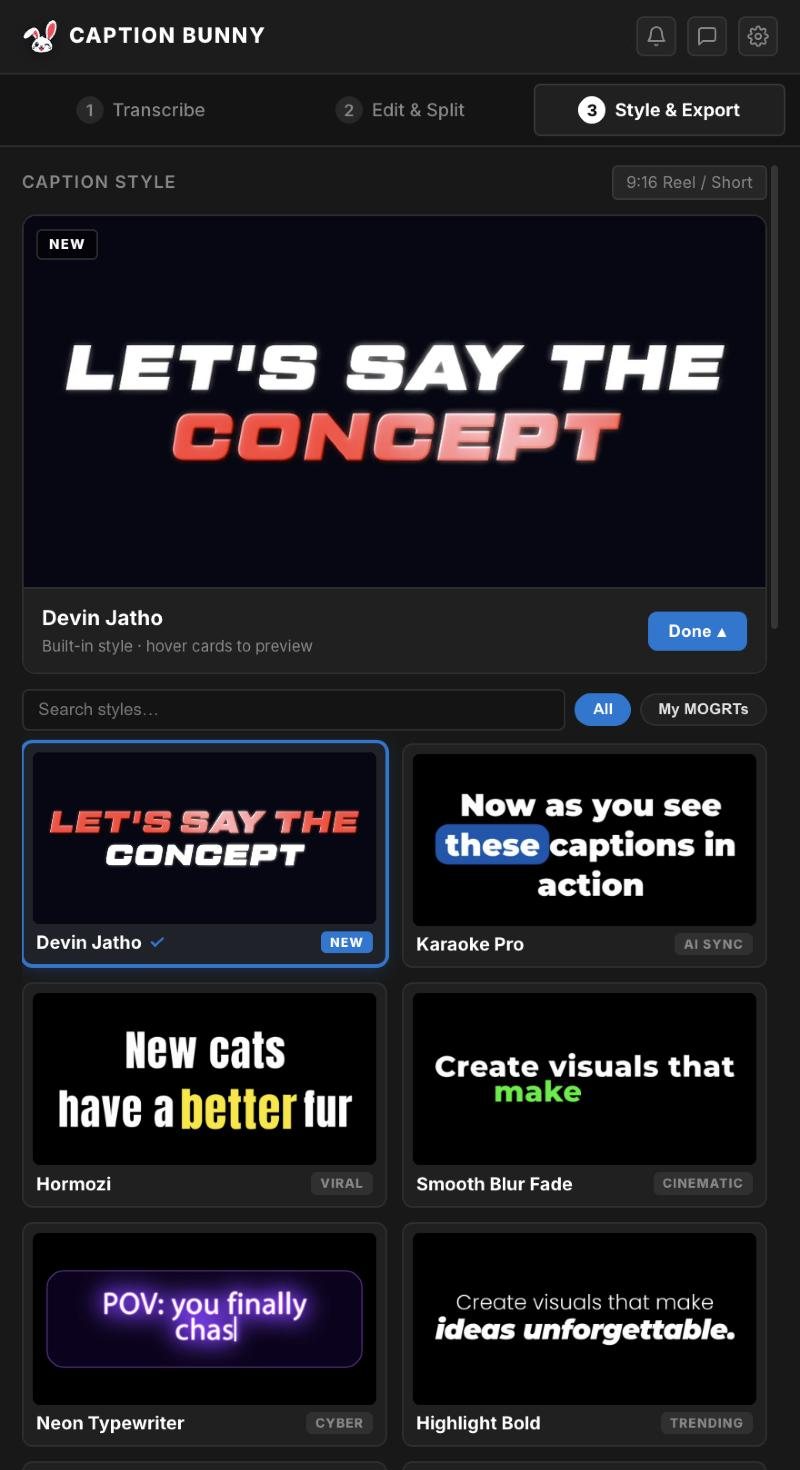
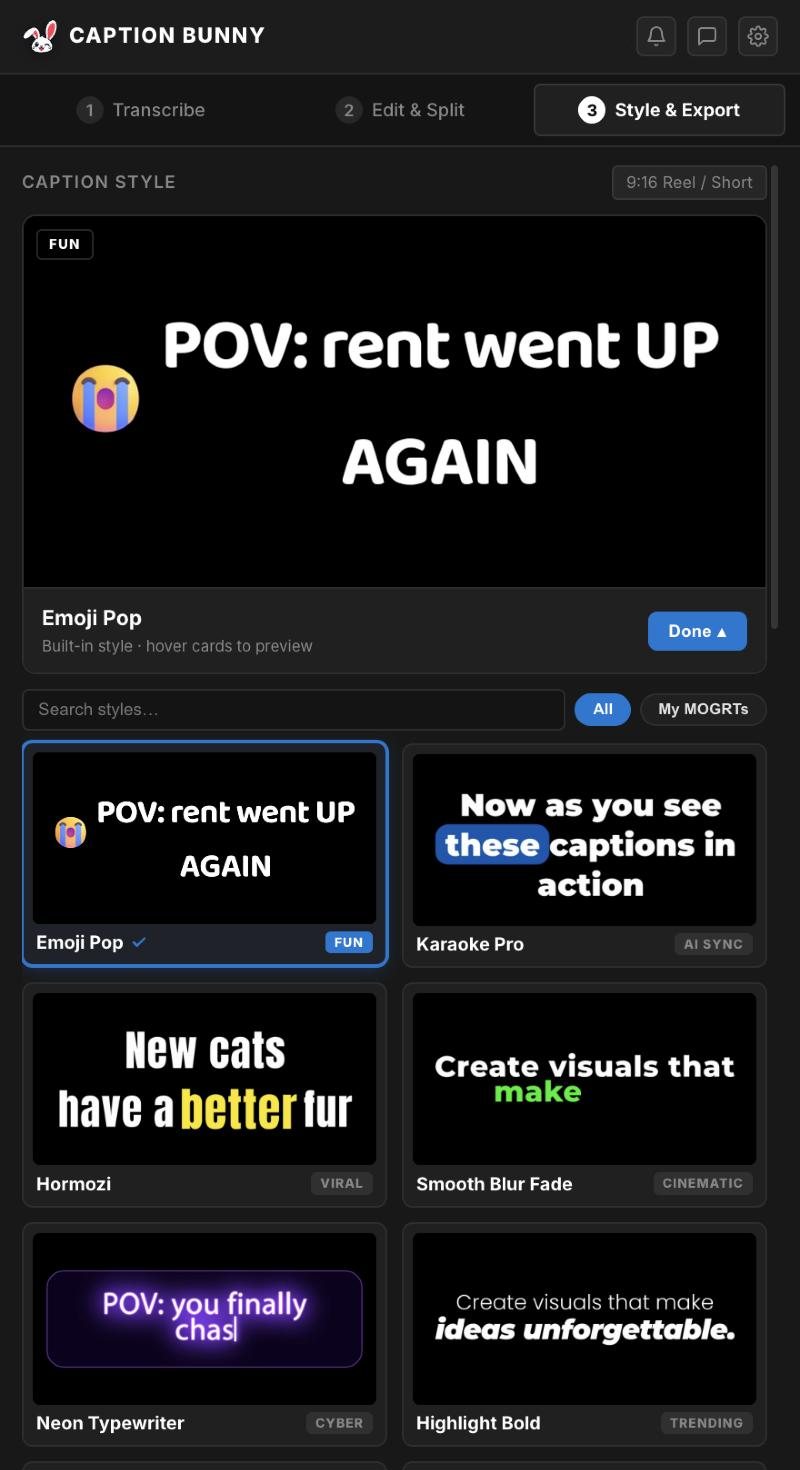
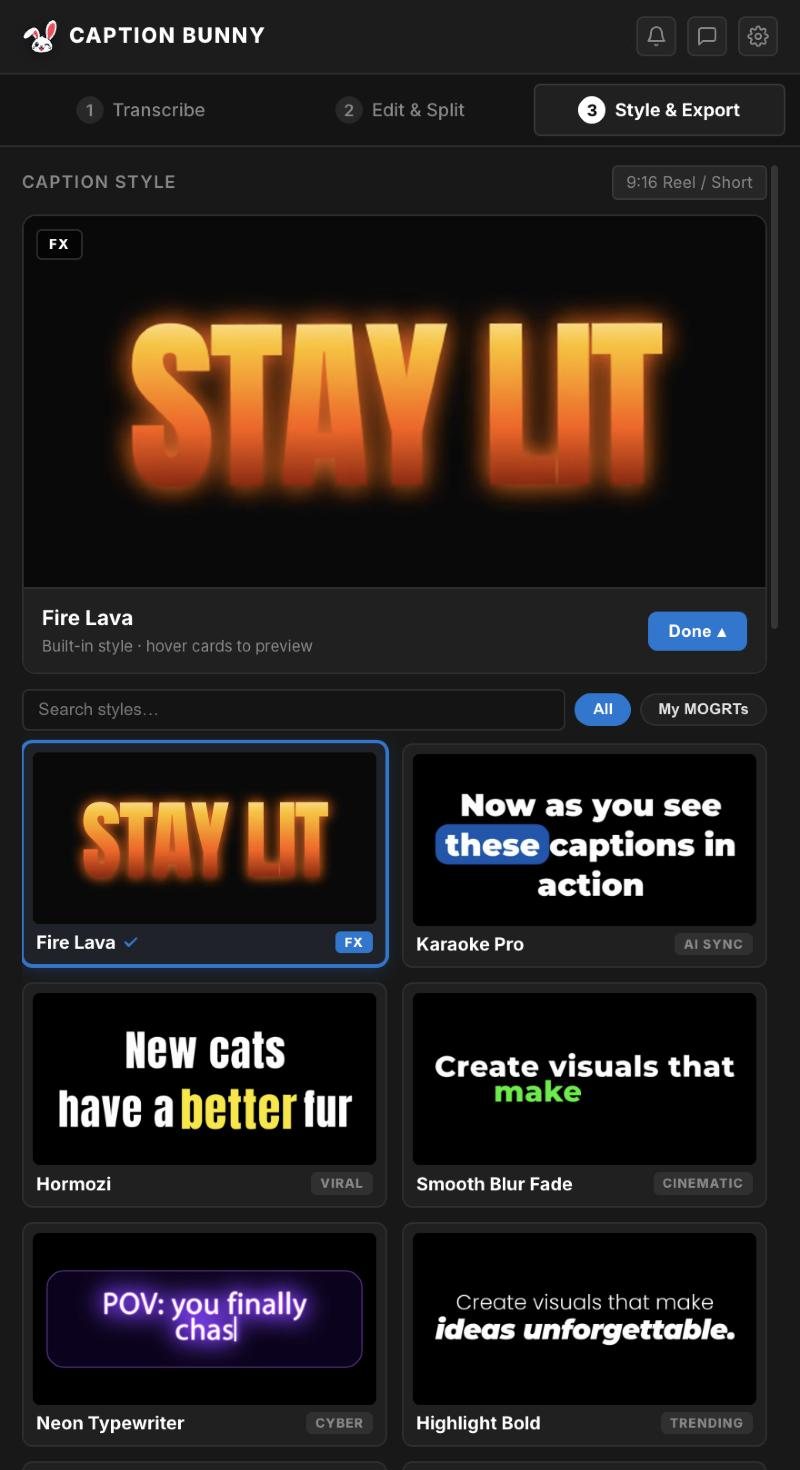
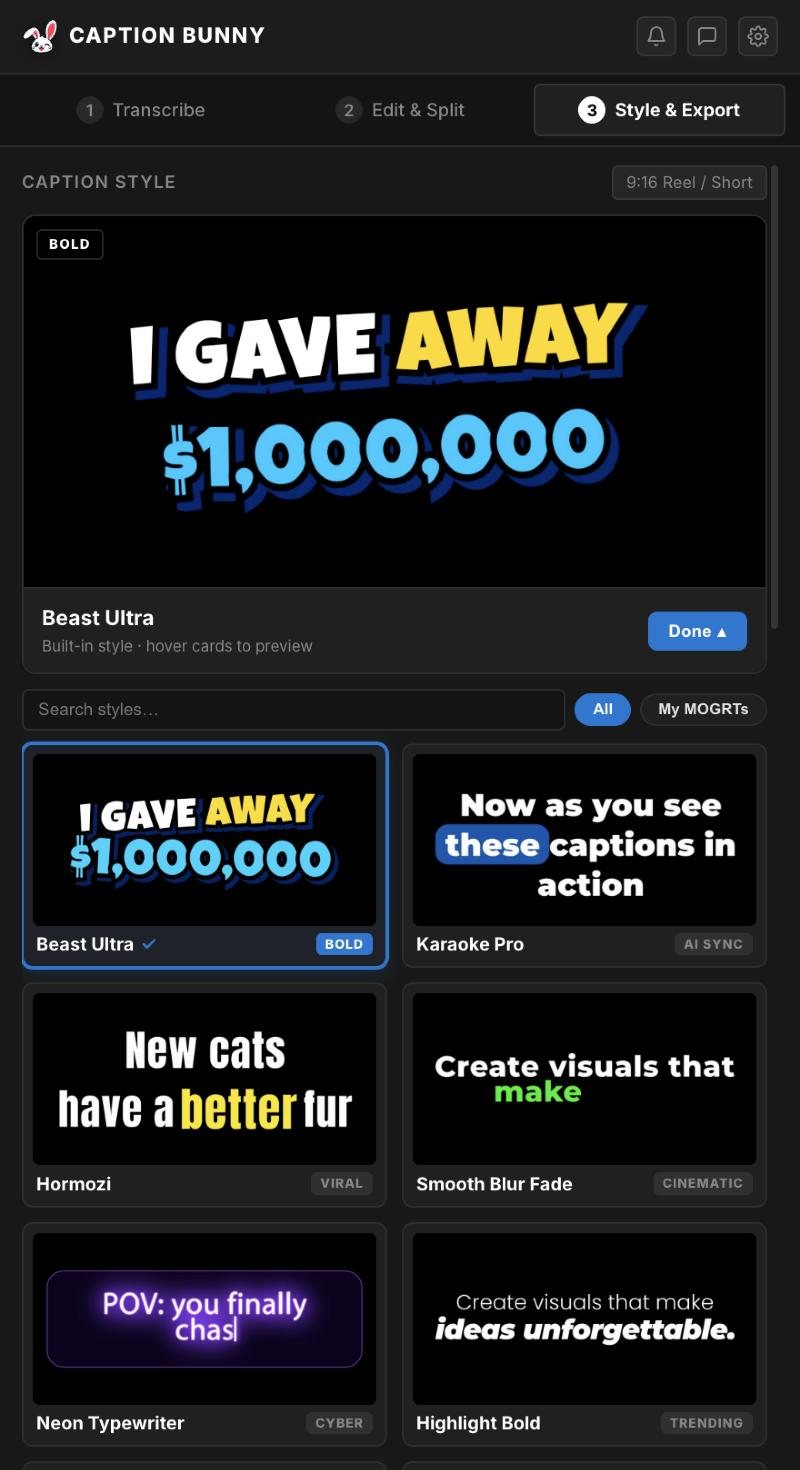
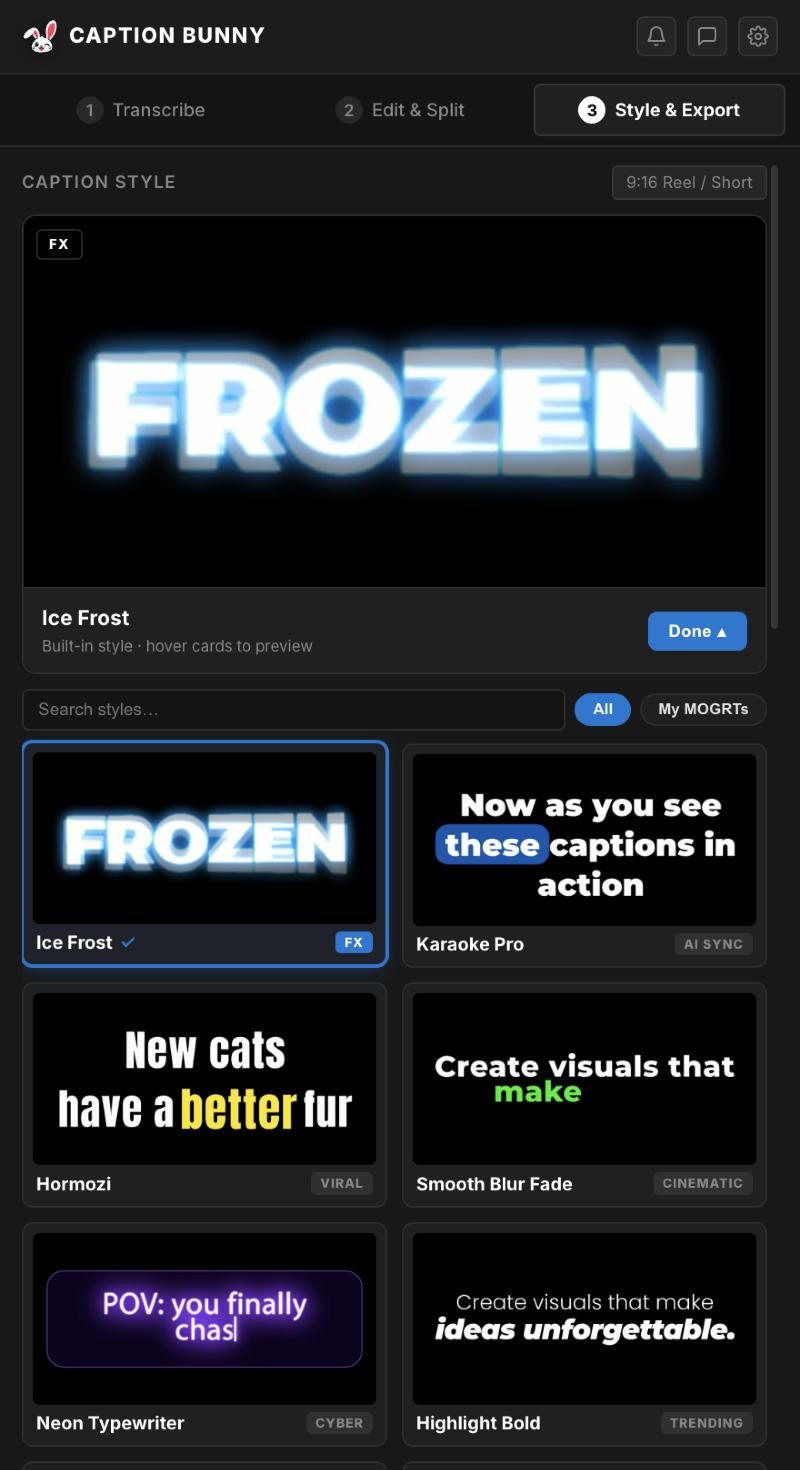
Animated captions, where each word pops, highlights or slides in exactly as it's spoken, are the signature look of short-form video. They raise retention because viewers read along even with the sound off. They're also painful to make by hand. Here's how to get them in Premiere Pro without keyframing a single word.
See the styles in action
Every clip below was captioned in Premiere Pro with Caption Bunny. Scroll and they play.
Gym Yellow, Devin Jatho, Emoji Pop, Fire Lava, Ice Frost, Horror Shake, Beast Ultra and Staple Reveal.
Why animated captions work
Higher retention
Movement on screen gives the eye something to follow, so viewers stay past the first 3 seconds.
Sound-off viewing
Most Reels and Shorts start muted. Captions carry the message until someone taps for sound.
Emphasis
Highlighting the key word of each line lets you stress a point the way a speaker does.
Personality
Emojis, glows and shakes set the tone: hype, horror, comedy or calm.
How it works in Premiere Pro
- 1
Transcribe
Caption Bunny listens to your timeline, offline, and times every word.
- 2
Edit
Fix words, split or merge lines, and strip fillers in the panel.
- 3
Pick a style
Browse 19 animated styles with live previews.
- 4
Generate
One click places every caption on the timeline as an editable MOGRT, synced to the speech.
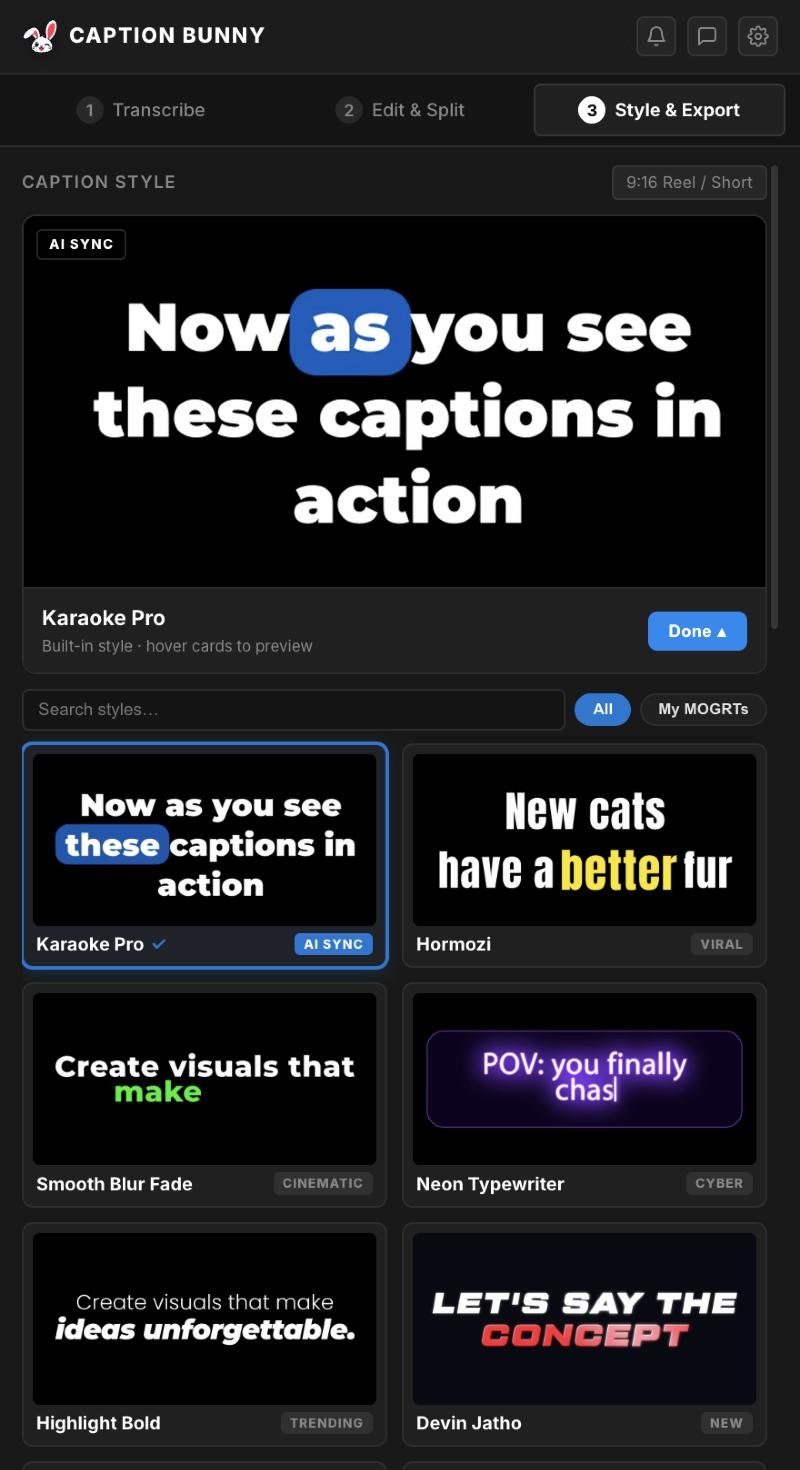
19 styles, live previews
Hover any card to watch it animate, search by name, or load your own MOGRTs. The panel picks the 9:16, 1:1 or 16:9 version to match your sequence.
- Karaoke Pro, Hormozi, Neon Typewriter, Highlight Bold
- Devin Jatho, Gym Yellow, Emoji Pop, Fire Lava and more
- My MOGRTs tab for your own templates
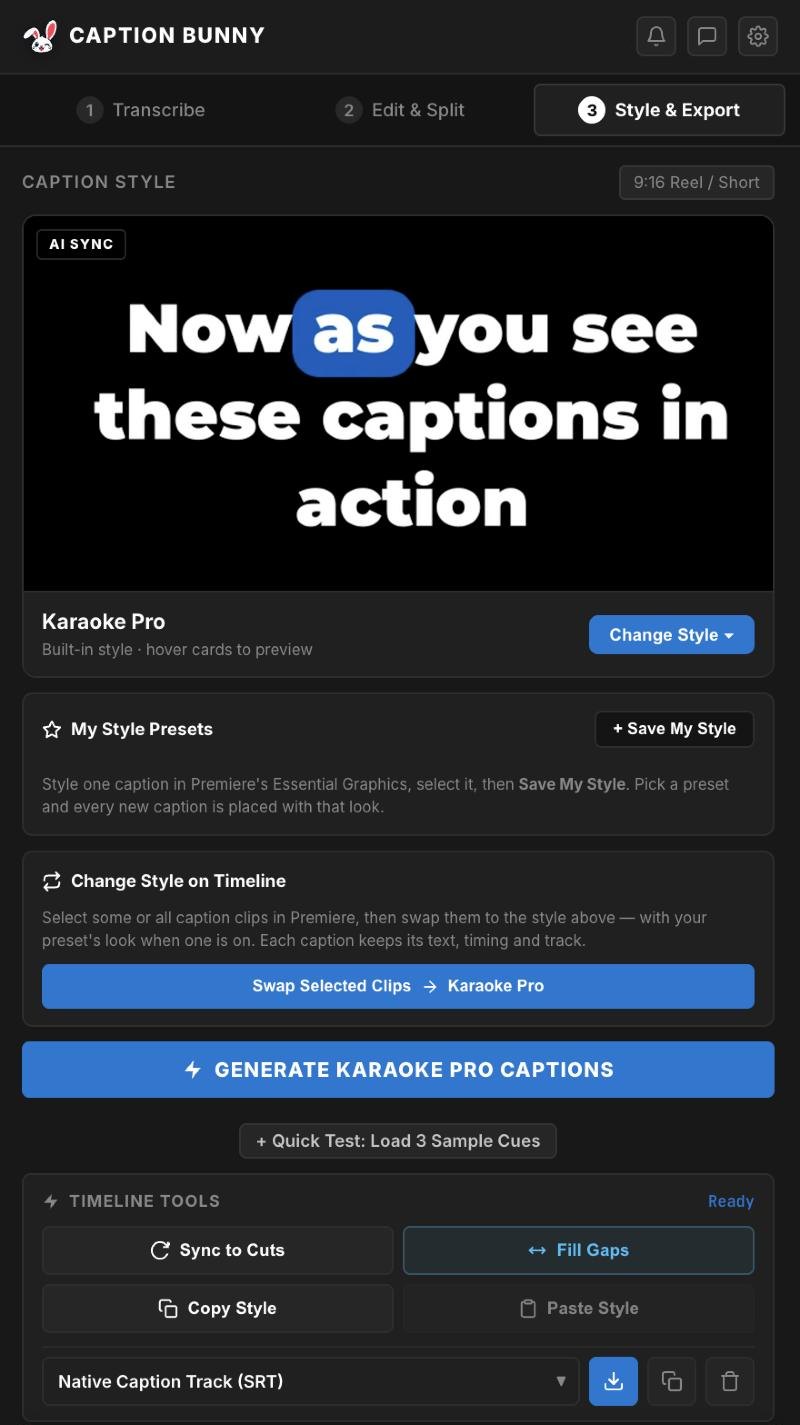
Your look, saved and re-used
Style one caption in Essential Graphics, save it as a preset, and every new caption is placed with that look. Change your mind later? Select clips on the timeline and swap them to another style. Text and timing stay put.
- My Style Presets
- Swap selected clips to a new style
- Sync to cuts, fill gaps, copy and paste style
Make your next Reel with animated captions
19 styles, every ratio, Mac and Windows. $29 once with free lifetime updates.
The styles, by content type
| Content | Try these styles | Why |
|---|---|---|
| Podcasts & interviews | Karaoke Pro, Highlight Bold | Readable at length, follows the speaker |
| Business & money | Hormozi, Beast Ultra | Bold, high-contrast and punchy |
| Fitness & sport | Gym Yellow, Gym Beast | Heavy type, energetic reveals |
| Storytelling & vlogs | Devin Jatho, Smooth Blur Fade | Clean with a cinematic accent |
| Food & reactions | Fire Lava, Emoji Pop | Fun, colourful and expressive |
| Horror & suspense | Horror Shake | Jitter and tension |
| Education | Staple Block, Staple Reveal | Structured, clear emphasis |
Customise every detail
Each caption is a real Motion Graphics Template, so everything is a slider or colour picker in Essential Graphics:
Font & size
Swap fonts, scale text, set characters per line.
Colours & highlight
Change base, highlight, stroke, glow and shadow colours.
Position
Move captions anywhere and keep them out of platform UI.
Timing
Animation follows the speech duration of each caption automatically.
Use Copy Style and Paste Style in Timeline Tools to copy one tweaked caption's look onto the rest in seconds.
Animated captions vs Premiere's built-in captions
| Premiere Speech to Text | Caption Bunny | |
|---|---|---|
| Transcription | ||
| Word-by-word animation | ||
| Viral style presets | 19 | |
| Emoji captions | ||
| Auto aspect ratio | ||
| Romanized Hinglish |
Comparing plugins? Read our honest comparison of caption plugins for Premiere Pro.
Frequently asked questions
How do I make animated captions in Premiere Pro?+
Install a caption plugin such as Caption Bunny, transcribe your clip, pick an animated style and click Generate. Each caption is added as an editable MOGRT synced to the speech.
Do I need After Effects for animated captions?+
No. Caption Bunny places ready-made animated caption templates directly in Premiere Pro.
Can I change the font and colours?+
Yes. Every caption is a MOGRT with font, colour, highlight, size, position and effects controls in Essential Graphics.
Does it work for vertical Reels and Shorts?+
Yes. Each style ships in 9:16, 1:1 and 16:9 and the right one is picked from your sequence size.
Can I use my own MOGRT caption templates?+
Yes. The My MOGRTs tab lets you place your own templates with the same automatic timing.

We're video editors who build caption tools for Premiere Pro. Every step in our guides is tested on a real timeline before we publish it.